Targeting
Configure target selection and target cycling settings
This section changes how you target NPCs and the information you see when targeted.
Display Settings
Target Information
Displays information about a target when hovering over them. Should be enabled.
Target Reticules
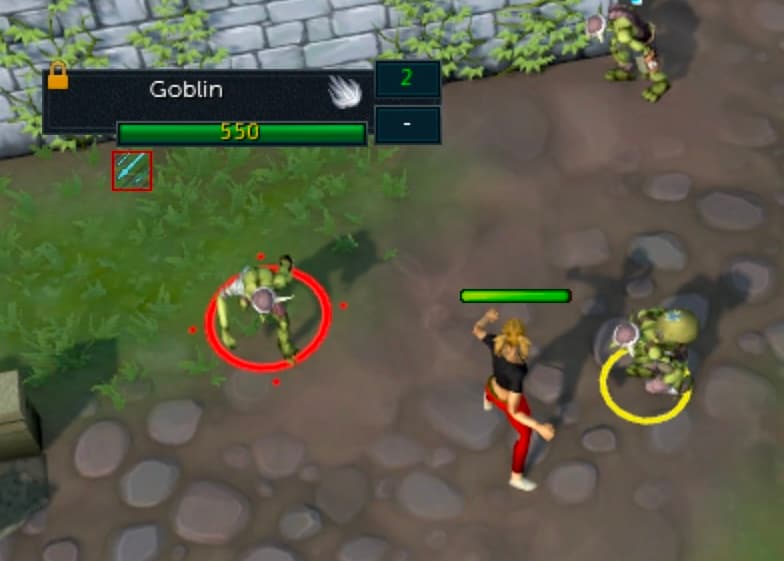
Displays a small ring around targets that are interacting with you. Red is for targets you are attacking, yellow for targets that are attacking you.
Target Scenery with Targeted Movement Abilities
This means that the Dive ability can be targeted on scenery such as trees. Should be disabled.
Target Cycle
Target cycling, often called tab targeting in other games, allows you to press a keybind to target nearby NPCs rather than having to click the NPC with your mouse. RuneScape's implementation has a few quirks, but is very useful and worth configuring.
Keybinds
There are three keybinds you can set up:
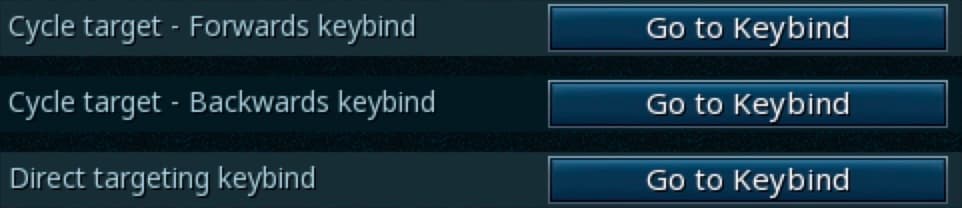
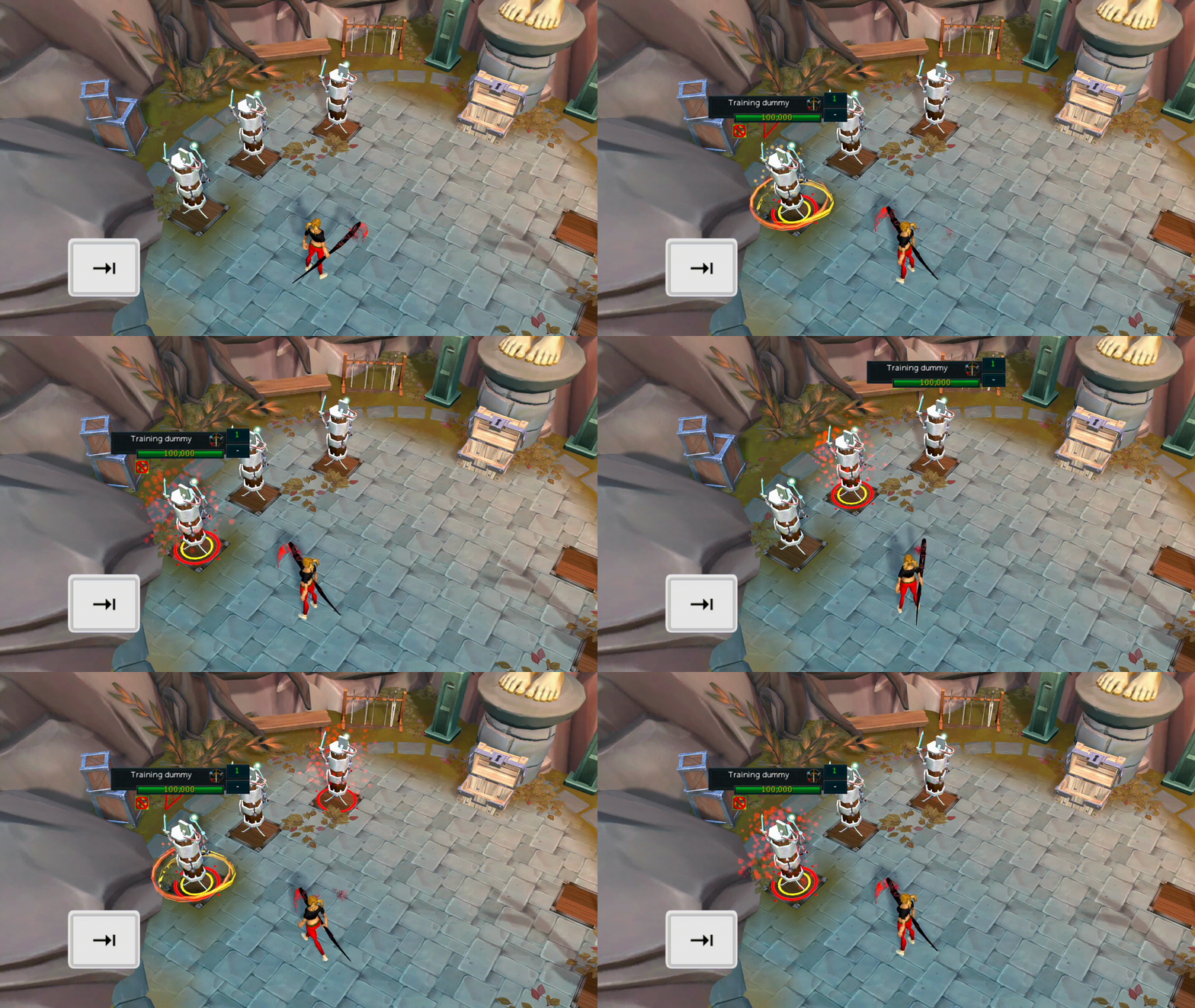
Cycle Target - Forwards
This will target the NPC closest to you. When pressed again, it will attempt to cycle through other available targets, in order from closest to farthest.
Cycle Target - Backwards
This will do the exact opposite. It will initially target the farthest NPC from you within the target cycle range, and when pressed again, will cycle through targets in order from farthest to closest.
Direct Targeting
This will allow you to select a specific target within your range after pressing the keybind. It is similar to simply clicking on a target with your mouse, but it will target the NPC without initiating combat. Because of this, it is rarely used and can be disregarded.
Most players will want to set a comfortable keybind to "Cycle Target - Forwards" and ignore the other two choices.
Targeting Modes
There are two targeting modes to select between:
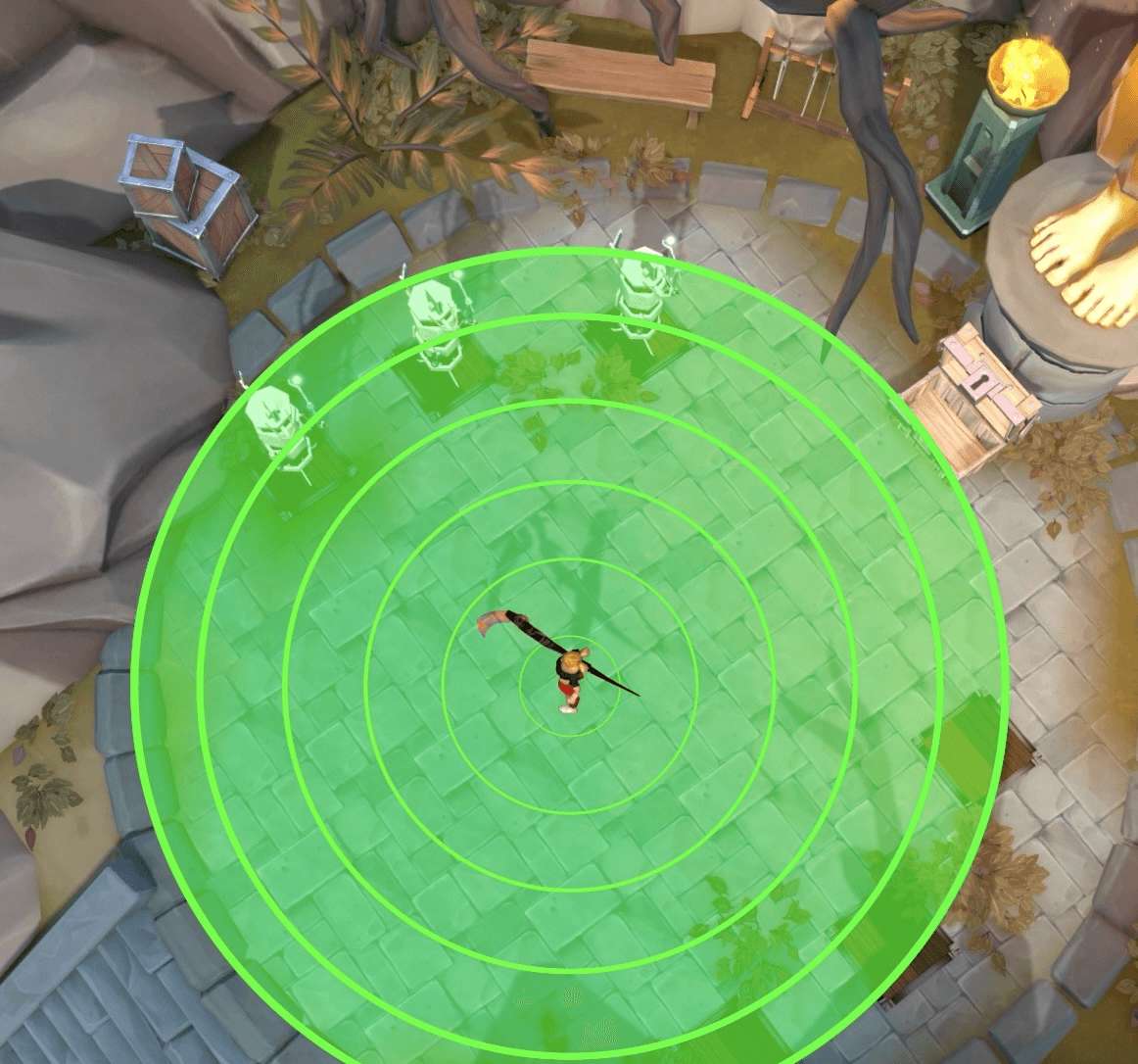
Radial target cycling selects targets based on rings around your character. This means that any targets around your character can be selected.
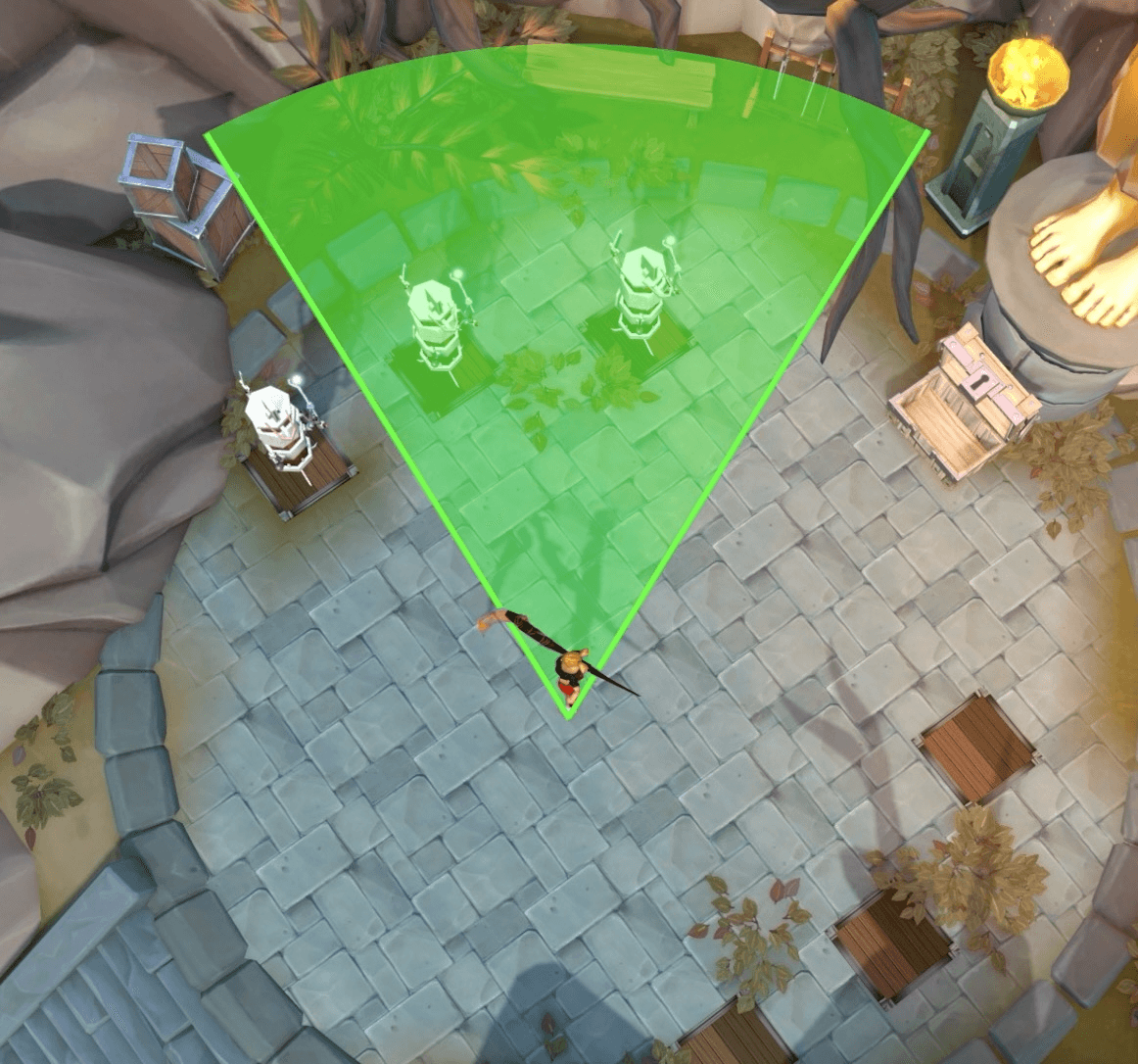
Conal target cycling selects targets within a conal area based on your camera positioning, not your character positioning. This means that you can face the area of NPCs you wish to target, and areas outside of this cone will be ignored.
It is recommended to use radial, as it will encompass the whole area around the character.
Additional Settings
Maximum Target Distance
The maximum target distance determines how far the rings or cone will reach and register targets. Should be set to 9.
Set Maximum Target Distance to Weapon Distance
This setting will automatically set the maximum target cycle range to be your weapon attack range. If you have a magic weapon equipped, it will set your maximum target cycle range to 8, as that is the attack range for magic weapons. Should be disabled, as it can cause issues with weapons that have a lower attack range such as while meleeing.
PvP Area Target Selection
A toggle to decide whether NPCs, players, or both will be selected whilst target cycling. Change as you see fit.
Tips
- If no target is found when initially pressed, there is an internal cooldown of a few ticks, so it is not advised to spam this button while trying to tag a spawning NPC.
- Using target cycle will not activate any abilities for you. You will need to manually activate a primary ability, even if using revolution. However, if you click on a target, revolution will automatically start using abilities.